
Understood, not just audible
A line can be loud and still be lost. Clarity is about consonants, about masking, and about whether the listener's attention is free to follow the words.
Most of the information that separates one word from another sits in the upper-mid range, broadly between 2 and 5 kHz, where the sharp edges of t, s, k and p live. Vowels carry the emotion; consonants carry the meaning. When music, effects or noise crowd that range, audiences reach for subtitles — and increasingly, research by broadcasters and surveys of streaming audiences suggest they do.
Clarity also has an emotional dimension. A whispered confession recorded close and mixed intimate pulls the audience into a private moment. The same line drowned in score becomes a gesture we see rather than a thought we share. Decide what each line must do, and give it the space to do it.
Boom first, lavalier as partner
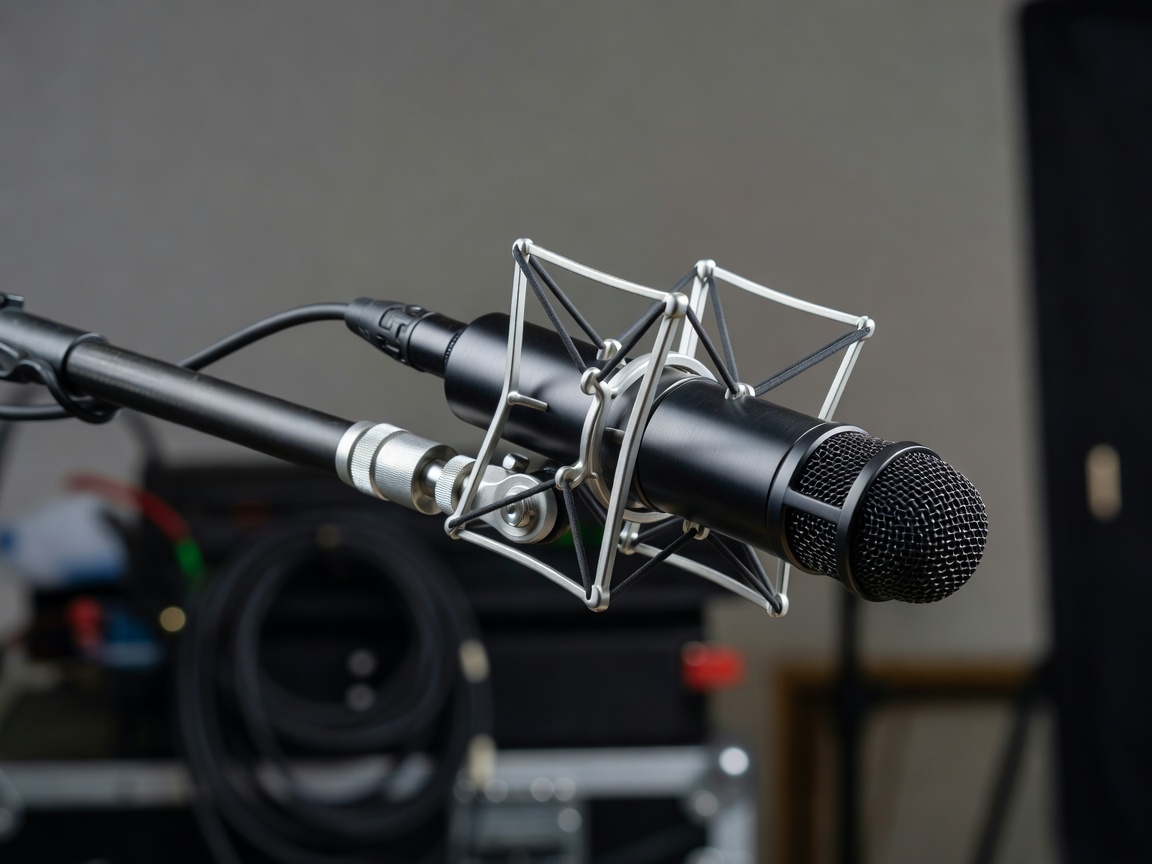
- Boom microphoneA shotgun such as the long-serving Sennheiser MKH 416 outdoors, or a hypercardioid such as the Schoeps CMC 6 with MK 41 capsule indoors. Positioned just out of frame, pointed at the mouth, it records the voice with natural perspective and a little of the room.
- LavalierTiny microphones such as the Sanken COS-11D, hidden in clothing. Consistent level in wide shots and noisy places, but prone to clothing rustle and a slightly chesty, close tone that may need gentle EQ.
- Both, on separate tracksRecord boom and lavs to isolated tracks. In the edit, choose per line — or blend carefully, watching for phase problems that make the voice sound hollow.
Diagnose before you process
| What you hear | Likely cause | First response | Avoid |
|---|---|---|---|
| Words blur in a wide shot | Boom too far; room reflections | Switch to the lav for those lines | Heavy de-reverb that leaves artefacts |
| Scratching on key words | Lav rubbing on clothing | Use the boom for that line, or an alternate take | Trying to EQ rustle away |
| Steady hum or hiss | Air conditioning, lights, generator | Gentle noise reduction, learned from room tone | Aggressive settings that turn voices watery |
| Level jumps between takes | Actor energy, mic distance | Clip gain per line before any compressor | Squashing everything with one limiter |
| Line lost under music | Masking in 2–5 kHz | Dip music in that band while the line plays | Simply raising the dialogue fader |
| Unusable line, wrong reading | Noise or performance | Alternate take; consider ADR | Accepting it because the shoot is over |
The invisible craft of the dialogue editor
Before any mixing, the dialogue edit does most of the work. Each line is split to its own region, overlapping takes are trimmed, breaths are shaped, and room tone fills every gap so the background never drops. Crossfades of a few frames hide the joins. Good dialogue editing is noticed only when it is absent.
When production audio simply cannot carry a line, Automated Dialogue Replacement (ADR) lets the actor re-record it in a studio against picture. ADR's challenge is matching: performance energy, microphone, distance and the room around the voice. Record with a microphone similar to the production boom, at a similar distance, then add matching room tone and a touch of the location's reverb.
A rooftop scene: wind rumble swells between words, the lav crackles on a coat zip, and the final line is buried under traffic.
A high-pass filter removes rumble below the voice; the boom replaces the crackling lav lines; the final line is replaced with matched ADR and laid over consistent traffic tone. The audience hears a calm conversation in a windy place.
Keeping the voice in front
- Level by line, not by trackClip gain gets you close before compression touches anything.
- Clean gentlyA little remaining noise sounds real; over-processing sounds broken.
- Carve space in other layersMove music and effects out of the voice's way rather than pushing the voice up.
- Listen without pictureIf you cannot follow the scene with eyes closed, the audience will struggle too.
- Test on a phoneSmall speakers expose masking instantly.
David Sonnenschein's Sound Design: The Expressive Power of Music, Voice and Sound Effects in Cinema offers a thoughtful treatment of voice and meaning. For the next step, see Mixing: Shape the Scene's Depth.